My Most Frequently Used Shell Command
ps aux | grep chrome | grep -v grep | awk '{print $2}' | xargs sudo kill -9
all words by human
ps aux | grep chrome | grep -v grep | awk '{print $2}' | xargs sudo kill -9
Much like we refactor code for maintenability, every now and then it pays to take a look at our infrastructure and see if there is anything we can improve. For example, recently I decided to shutdown…
Over the past few days, I have been busy upgrading a few libraries we were using to gain much needed new functionality. Amongst those is upgrading DJango 1.4 to 1.6 to get the new User model as well as be able to drop the PGBouncer dependancy because DJango 1.6 supports persistent database connections. Unfortunately, as of Django 1.5, the url template tag requires the argument to be a string or context variable, which means I have to scour through a few hundred templates and change tags from something like {% url post post.slug %} to {% url “post” post.slug %}. Well, instead of doing that, here is a handy regular expression to do the replacement for us: s/(\{% url[\s]+?)([^"'\s][^\s]+)/$1'$2'/g.…
I have recently undertaken the task of rebuilding our analytics stack at Sidelines. I’ll share more details as to what motivated me to do so and why in a later post. One of the solutions I’m exploring, is streaming data to be queried by Google BigQuery. The basic premise is that each event will have its own table and each event carries a lot of properties to give it context. For example, a click on a brand creative will contain properties describing the user that clicked, such as browser, screen resolution, etc. It will also have properties around the type of creative; was an image used? What was the resolution? How long was the title? What was the template. Overall, each event averages to about 50 different properties. The problem I faced, is that Google BigQuery requires the table schema to be defined prior to inserting data. Some other services I’m exploring like Keen.io are kind enough to do the schema inference for you. Because I really didn’t want to define schemas for all these events, I wrote a quick script that will create the JSON required to create the table prior to inserting the first event.…
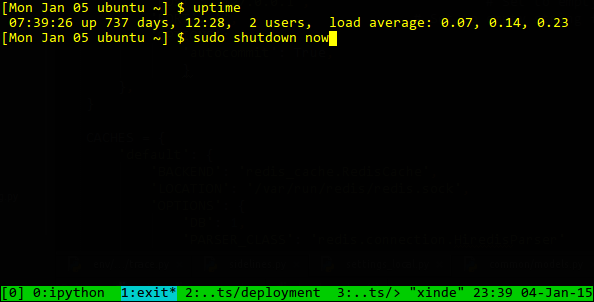
Our longest running box on AWS EOL :'(
In the past few days I’ve had the chance to play a bit with Tornado, a non-blocking web server for Python similar to node.js. Tornado works by using something like epoll or whatever I/O event notification exists in the system. Tornado is single threaded and works like a fancy while (True) loop. As a consequence, whenever we do some blocking I/O (e.g. database call) the web server cannot process other requests. While that may not be a big deal on very low traffic sites or if your I/O subsystem is extremely fast, it starts becoming an issue as your traffic grows or if you’re hosted on something like Amazon AWS; notorious for its slow and inconsistent disk I/O performance. The biggest problems that I encountered with Tornado are: 1) the lack of robust asynchronous libraries for things like DB access and 2) Python’s own awkwardness when dealing with async code. NodeJS programmers don’t have any of these problems because the community writes software with async in mind and Javascript as a language offers anonymous blocks which make callback style code tolerable. The purpose of this post is to encourage Python programmers using Tornado to pay attention to their blocking calls or if they don’t need any of the features that Tornado offers, stick to a WSGI server such as uwsgi or gunicorn.…